
Home › Shopping tips
Picking products that survive the trip
Most problems with a cross-border order trace back to one of two things: a size mismatch, or a surprise fee. Both are checkable in advance.
Picking products that survive the trip
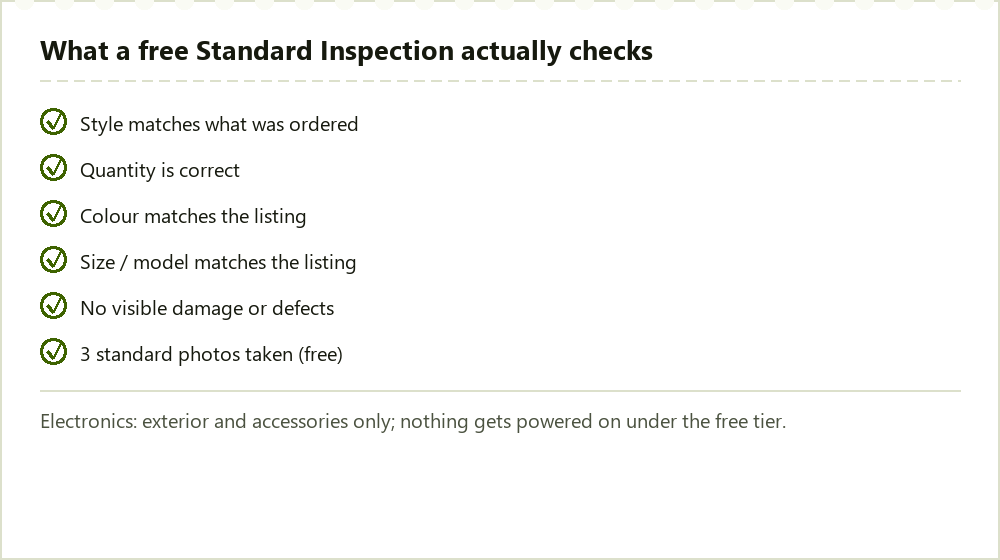
Measure your own body or an item you already own before you order, rather than trusting a size label alone; Didpop's own size-guide article exists because labelled sizes vary enough between sellers to make this worth the extra five minutes. For anything with moving parts or a battery, read the full listing for voltage and plug type before ordering, since Didpop's free electronics inspection does not power the item on to check it for you.
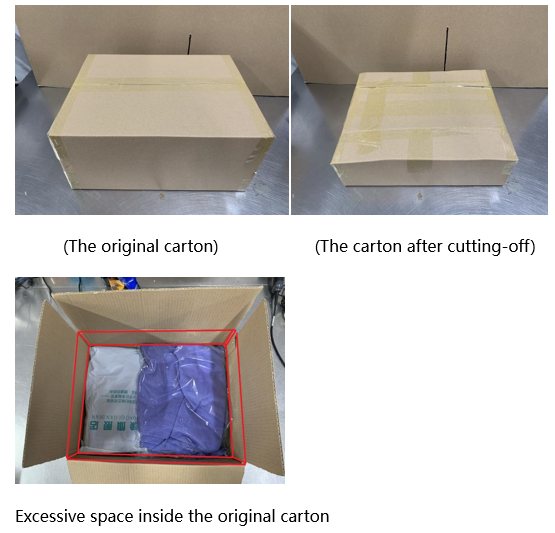
For anything fragile, mention it in the order remarks at checkout. The remarks field on Didpop's own order screen is the place sellers and the warehouse team actually read before packing, not a generic contact form after the fact.
Checks worth running before you finalize an order
Check the source platform against Didpop's fee table before you paste a link; a listing from an unlisted platform carries a 10% service fee that a Taobao or Weidian link of the same price would not. If you are paying by card or PayPal, budget for the cross-border surcharge covered on the Fees page; it is not optional and it is not small on low-value items, since the flat USD 0.30 component weighs more heavily on a cheap item than an expensive one.
Finally, do not plan on a specific new-user discount; Didpop's help center documents how discount codes work but never publishes a guaranteed new-account value, so any number you see quoted elsewhere is not something we can confirm from Didpop's own published material.
What to do if the inspection photo shows a problem
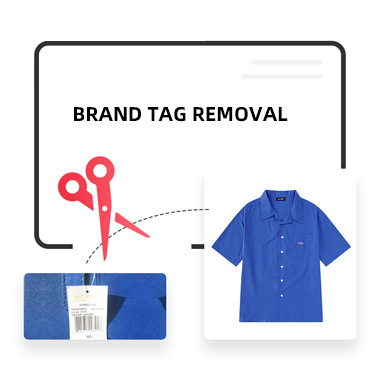
If the free Standard Inspection photo shows damage, the wrong colour, or a quantity mismatch, Didpop's own Usual Way of Handling Defective Products article is the one to read before you decide between a return, a partial refund, or discarding the item. That decision is worth making quickly: it sits inside the same 5-Day Return/Exchange Guarantee clock covered on the Guide page, which is measured from warehousing, not from when the photo actually posts to your account.
If you suspect the item itself is not authentic rather than simply damaged, that is a separate path: Didpop's Service Agreement states non-authentic products are not permitted for sale through the platform, and the complaint route runs through [email protected] with your order and payment evidence attached, not through the same defective-item flow.
A short pre-order checklist
Before you confirm any order: measure against your own numbers, not the label; read the full listing text, not just the title and headline photo; check which fee tier the source platform falls into; and decide up front whether you want the free Standard Inspection left on, which for almost every order you do. None of these take more than a minute, and together they catch most of the surprises covered elsewhere on this site.